Achievement : ✨ Sync GitHub Commits to GitLab Without a Subscription
A Step-by-Step Guide : Recently, we successfully created a GitHub Action that allows seamless synchronization of every commit from a GitHub repository to GitLab. This workflow eliminates the need for a GitLab subscription to use CI/CD features or automate the synchronization process. Here's a detailed guide on how we achieved it.
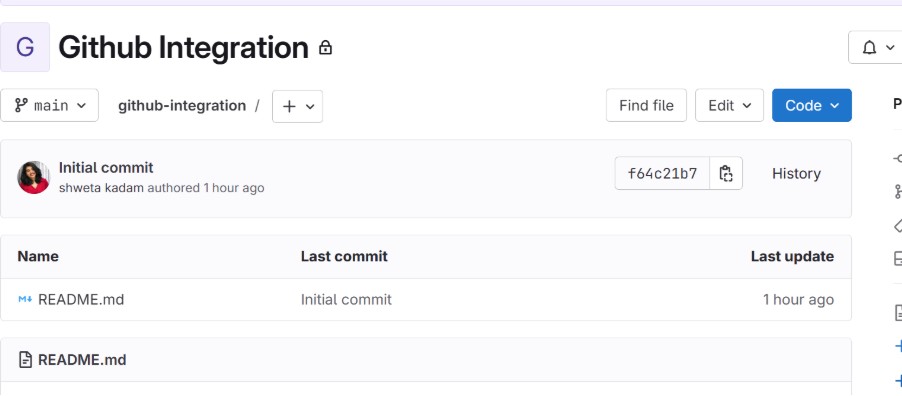
Step 1: 🗂️ Prepare GitHub and GitLab Repositories

Step 2: 🔑 Generate a GitLab Personal Access Token (PAT)
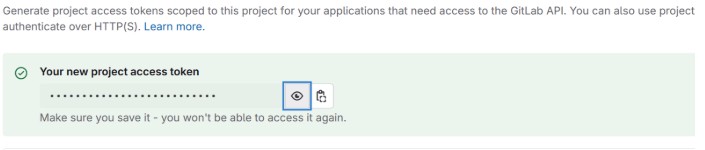
- Navigate to your GitLab account.
- Go to Settings > Access Tokens.
- Create a new token with the required scopes:
apiwrite_repository
- Save/copy the generated token securely.

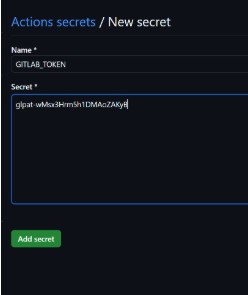
Step 3: 🔒 Store the PAT in GitHub Secrets
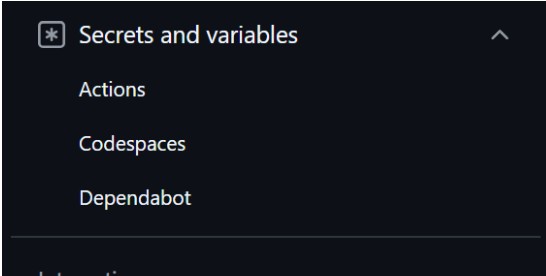
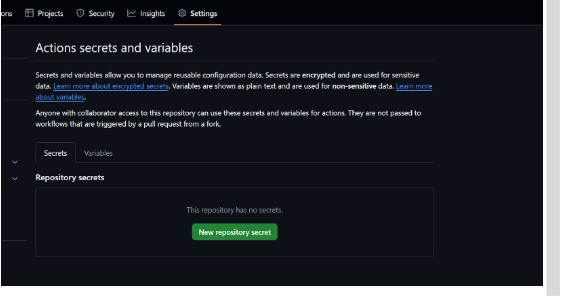
- In your GitHub repository, navigate to Settings > Secrets and variables > Actions.
- Click New repository secret.
- Add a secret with:
- Name:
GITLAB_TOKEN - Value: The GitLab PAT generated/saved earlier.
- Name:
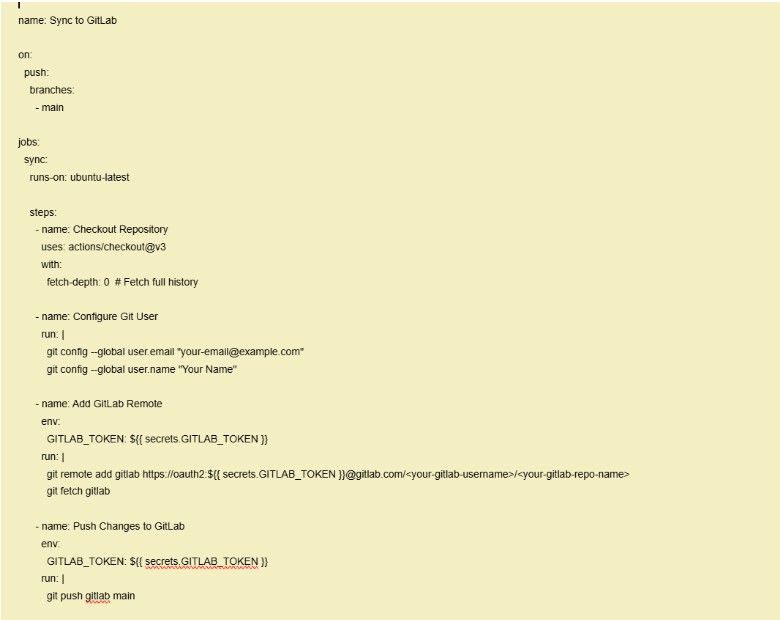
Step 4: ⚙️ Configure the GitHub Actions Workflow
- Create a
.github/workflows/sync-to-gitlab.ymlfile in your GitHub repository. - Add the following workflow code:
- Replace
<your-gitlab-username>and<your-gitlab-repo-name>with your GitLab details.
Step 5: 🧪 Test the Workflow
- Push a commit to the
mainbranch in your GitHub repository. - Verify that the changes are automatically reflected in your GitLab repository.

Reflected from github to gitlab

Conclusion 🔚
By following these steps, you can effortlessly sync commits from GitHub to GitLab without requiring additional subscriptions or manual intervention. This process leverages GitHub Actions and a simple GitLab PAT for authentication, providing an efficient and cost-effective solution.